


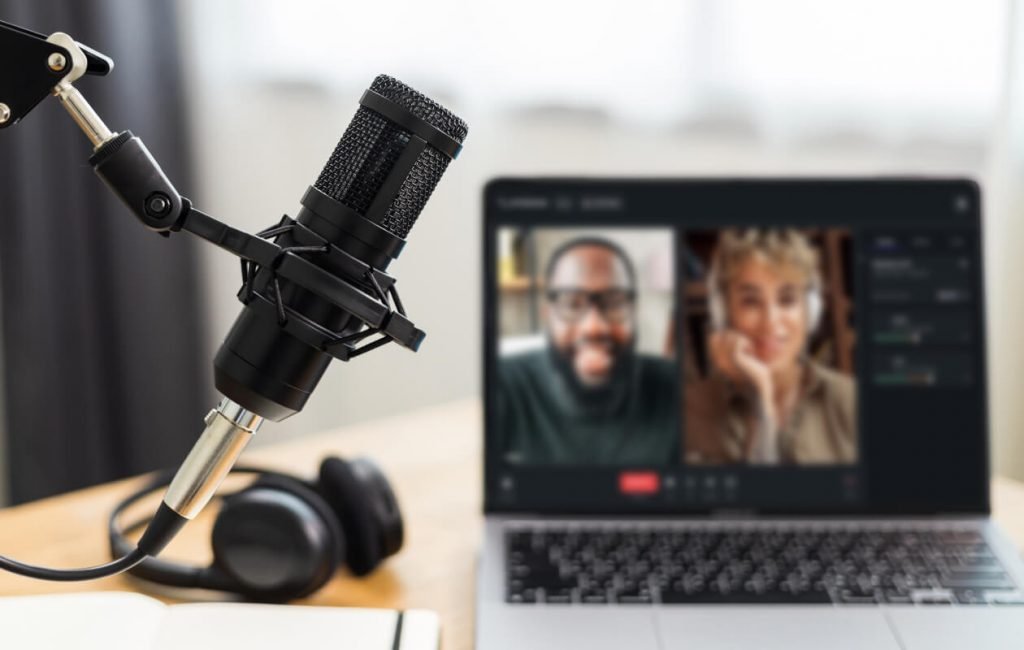
Today, we will discuss a topic that has gained popularity in the last few years. We will talk about podcasting & the best podcast recording software. Nowadays, many people aspire to be YouTubers; many people aspire to be podcast hosts too. A podcast is a series of speeches and audio episodes, all focused on some particular topic or theme. A podcast is not a talk show; a talk show requires two participants: a host and a guest.
In most cases, the host of a podcast expresses their views or narrates their stories entirely on their own. To be a successful podcast host, one needs to gather their topic & information about it, a good script, and some podcast editing software. This article will list several software options that can help you achieve your goal of becoming a podcast host.
Best Podcast Recording Software
1. Riverside

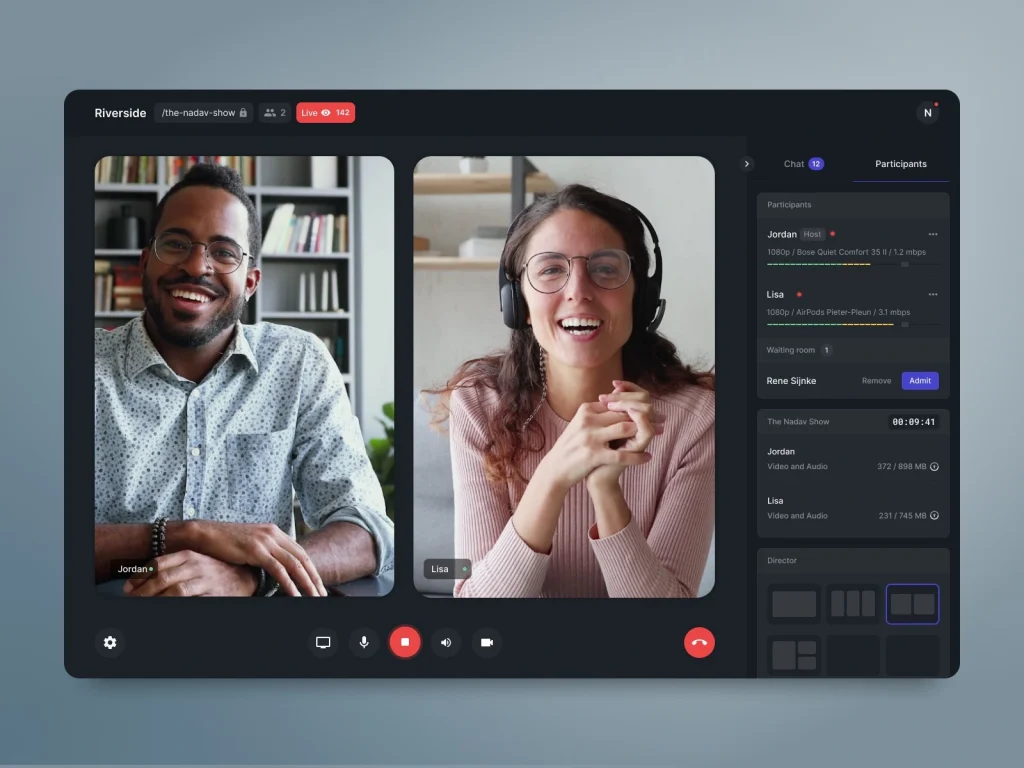
Riverside is a perfect podcasting software for recording remotely because you can invite up to seven guests to join your podcast recordings no matter where they are located. Riverside is one of the high-quality podcast recording platforms that allows you to record up to 4K video and uncompressed 48 kHz audio quality.
With its local recording capabilities, everything can be recorded directly on your device—meaning disrupted internet connections, lags, and unwanted noise will not trouble you in your podcast recording. Some of the features of Riverside include:
- High-resolution remote local recording.
- WAV or MP3 audio recordings at up to 16-bit 48 kHz.
- MP4 constant frame rate video recordings at up to 4K.
- Separate audio and video tracks for each participant.
- Editor and clip creator tools.
- Media Board for adding live sound effects.
2. Hindenburg Journalist
Hindenburg Journalist is a multitrack audio editor; it’s perfect podcast creator software. You can record multiple tracks, which makes the software ideal for interviews, and it also offers options to record remotely with guests. Please note that this incorporation still depends on the internet connection for audio quality, as these calls happen over the internet. Some of the features of Hindenburg Journalist include:
- Automatic audio level options, which optimize the recording’s sound levels.
- Basic effects including equalizer & compressor.
- Clipboard tool for easier management.
3. Adobe Audition

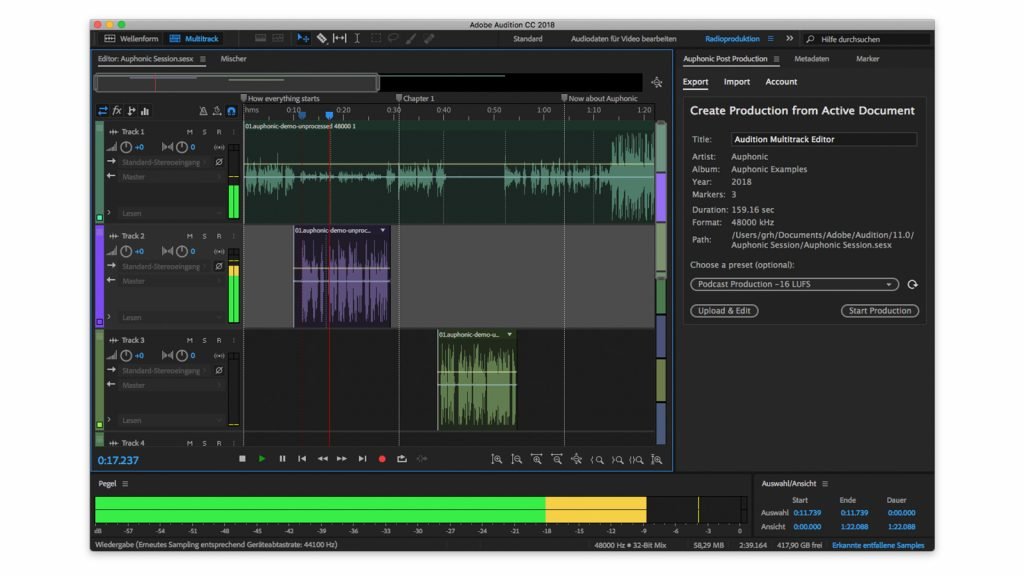
Similar to Audacity, Adobe Audition provides podcasters with recording and editing software. The main difference is that Adobe Audition offers more options and is significantly more expensive. Adobe Audition is suitable for individuals who have experience in audio editing, although it also provides helpful recording templates that make the process easier.
One can record separate tracks and add various sound effects, or they can choose from a vast collection of royalty-free music for their podcast. This recording software is part of the Adobe suite & has a simple integration for those trying to create video podcasts with Premiere Pro. Some of the features of Adobe Audition include:
- Live monitoring when you record.
- Templates for recording & editing.
- Royalty-free music & effects library.
- Editing tools for audio mixing, eliminating white noise, & many more.
- Multitrack recording.
4. RINGR
RINGR is a remote recording platform obtainable online or through its mobile podcast recording app. It presents a simple recording process with little editing needed on the user’s end. All users need to do is schedule a call and start recording, and once they are done, their and the guests’ recordings are uploaded to the cloud directly.
RINGR automatically synchronizes & merges the user’s separate audio tracks into one elegant recording to download. Some of the features of RINGR include:
- Conference calling for calls with up to four participants.
- Split track recordings (for Premium users).
- Up to 48 kHz audio recordings (for Premium members).
- Enterprise dashboard for enterprise users.

5. Anchor
While Anchor is a podcast hosting platform, the Spotify-owned service is also podcast recorder software. Users can record different audio parts directly on the browser-based recording software or by Anchor’s mobile podcast recording app.
It’s also possible to record with guests remotely using the Record with Friends feature on the mobile app. If you want to add additional recordings, you can upload pre-recorded files to associate with your Anchor recordings. Some of the features of Anchor include:
- Record With Friends features online remote recording with up to five participants.
- Easy episode creation from recorded sections.
- Sponsored sections to add in adverts or sponsored material (US only).
- Riverside incorporation for recording video podcasts.
- Integration with Spotify music to combine tracks into podcast episodes.
6. Reaper
If you are searching for podcast software that is both affordable and feature-rich, Reaper is an excellent choice to start with. Reaper is both a recording & one of the best podcast editing software programs that doesn’t create a hole in your pocket. You can record with multiple inputs instantly, and when it comes to editing, the platform has many more features than simple trimming and cutting tools.
It offers features like editing templates & many audio effects. It also needs to be mentioned that the platform supports over 200 plug-ins that can enrich your sound. Some key features of Reaper include:
- Multitrack recording.
- 200+ plug-ins can be added to enhance sound.
- Track templates for consistent settings when recording.
- Customizable workboards & layouts.
7. Auphonic
Auphonic is computerized editing software online. All users need to do to use the platform is upload audio recordings, select what kind of editing they would like to get done, & then Auphonic processes the user’s audio with the editing filters or features they selected.
The drawback with Auphonic is that users can’t record audio directly on the desktop app & it’s not complete editing software. It’s more for minor adjustments like background noise removal, audio leveling, & audio pitch correction. Some key features of Auphonic include:
- Adaptive leveler that evens out different audio inputs.
- Automatic noise and hum reduction, along with an adaptive noise gate function that eliminates unwanted sounds and background noise.
- Cognition for automatic transcription in up to 80 languages.
8. SquadCast
Although one of the newer names on the podcast recording platforms, SquadCast presents various features. SquadCast is browser-based recording software like Riverside—and it aims to make participating in podcasts simple. Guests have to click a link, & a virtual green room lets them get into the setup before going live.
Initially, SquadCast beat Zencastr due to its video recording capabilities. The two are somewhat different. Zencastr offers hosting and monetization tools; SquadCast focuses on recording. Some key features of SquadCast include:
- Up to five participants per recording session on basic plans and up to 10 participants on premium plans.
- High-quality remote recording at up to 48 kHz uncompressed WAV audio and 1080p video.
- Separate track recording.
Read More: 9 Hidden Benefits of Listening to Podcasts
Conclusion
Some of the best podcast recording software is free; some is paid. Some are free, but you must go for premium plans if you want more features. Consider your specific requirements and then select a software option. While high-quality recordings can decrease editing time, it could still be worth investing in software that helps you to maximize post-production.