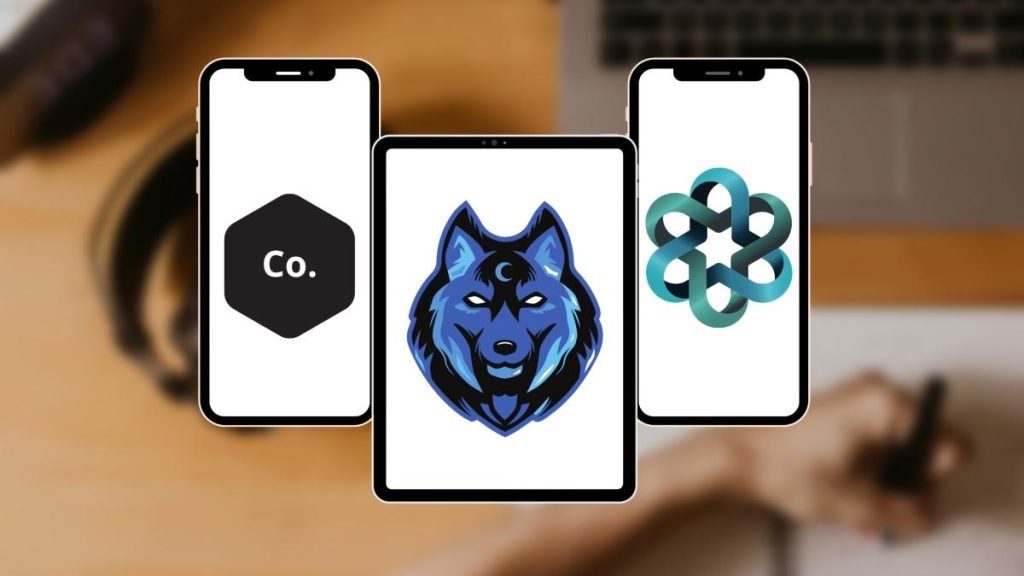
Whether you’re starting a new business or creating a brand for a client, a strong logo plays a key role in building identity and recognition. A logo is often the first thing users notice when visiting a website or store, making it one of the most vital elements of any online presence.
There are many logo maker apps available for Android, although most advanced features require a paid subscription. Creating a logo is more challenging than basic image editing because it requires thoughtful visual balance and brand consistency.
Nowadays, one doesn’t need to be a professional graphics artist with a robust computer and premium software to design a logo. Even users without design experience can create an attractive logo using a smartphone.
Best Logo Maker Apps for Android
1. Adobe Apps
Adobe has some of the most powerful design apps available for computers and mobiles. Adobe’s logo design tools include Adobe Illustrator (desktop), Adobe Fresco, Adobe Express, and Adobe Capture. Adobe Fresco and Adobe Express are simplified mobile alternatives to Adobe’s desktop design tools. You can create designs using these apps and turn them into logos.
Capture allows you to take photos of things and convert them into vector graphics. Adobe Capture is an excellent option for a good, simple logo, particularly if you have some inspiration in real life. You can use these apps for free, but you must have a Creative Cloud subscription to unlock every feature. These tools are commonly used on Android for creating basic to moderately complex logos.
2. Canva
Canva is one of the best free logo maker apps for Android and iOS devices. Besides being a web-based software, you can access it using your browser. Canva is a remarkable tool with many powerful features, and because of that, it can be regarded as a powerful image editor, infographic creator, and logo maker.
Because of its simple and intuitive UI (user interface), Canva is ideal for everyone; even if they have no prior knowledge of graphics or experience, they can use it despite that. It’s based on a drag-and-drop idea, making it one of the best and most appropriate apps for beginners and professionals for quick creations.
3. Dotpict
Dotpict is a free drawing app for Android, best suited for users who want full creative control when designing pixel-style logos. Despite its pixel-based approach, the app remains easy to use thanks to its clean layout and beginner-friendly interface.
You can create beautiful pixel images. So if you are looking for an unusually attractive pixel-based logo design, this app is right for you. Pixel art has gained popularity as a distinctive design style for retro or minimalist branding.
4. Iris Logo Maker
Iris Studios produces a comparatively decent logo maker. It offers many of the standard features in almost every logo maker, including different shapes, colors, backgrounds, textures, stickers, and various other graphic elements. You find the combination you are looking for and let the app do the rest.
You can add text and modify the font and color as per choice. All of the stickers and icons are classified into 25 different categories. It’s free to use for simple things, but if you want more variations or features, you must buy the premium version.
5. Logo Creator (by Z Mobile Apps)
This is a free Android app designed for quick logo creation. The app is easy to use and does not require complex setup. It comes with a simple yet efficient interface that you can get familiar with quickly.
The design process starts with a blank canvas where you can add graphical parts chosen from the app’s library. It offers up to 100 beautiful pictures and backgrounds, and it lets you add extra textures and effects.
Another fantastic feature of this logo maker is that you have the freedom to add overlays and friendly filters. It offers you the feature of 3D rotations, and it has over 100 fonts. The app is free, but you can get the paid version for additional features.
6. Ibis Paint X
This is a drawing app with many excellent features for logo creators. It offers 2,500 different materials, 800 different fonts, more than 330 brushes, 64 filters, many screen tones, various blending modes, and a stroke stabilization option for steadier lines.
From there, the rest is up to the creator. One can design logos, add text, and create something unique. Many logo-maker apps use templates of some type, so you lose a bit of freshness. Ibis is robust enough to make something original. While it costs more than basic logo maker apps, the premium version offers advanced illustration and drawing features that justify the price.
Read More: 9 Tips to Make Better Visual Content for Social Media
7. Shopify Logo Maker

Shopify Logo Maker is a very simple and free web-based logo maker. This tool works via a mobile browser rather than a dedicated Android app. You can make shapes, add colors and various icons, and even add text to it. This takes you through the process in a comprehensive way.
You can select a category and some design elements, and the app produces artwork for you. You can redo it if you don’t like the first creation. It’s a practical option for users who need a logo quickly. No separate Android app is available; it runs entirely in the browser.
8. Logo Maker Plus
Logo Maker Plus is one of the most famous logo creation apps for the Android platform. You can install the app for free for limited functionalities or buy the premium version of it to unlock full features.
The app offers a massive library of graphic items that differ from images, backgrounds, icons, and many more. You can select any aspect to add to your logo, with complete control over the elements. Within Logo Maker Plus, you can alter colors, fonts, borders, opacity, and much more. You can also add drop shadows and effects as per your choice to your design.
9. Font Rush
This app is useful for quickly creating text-based logo designs. It offers over 200 fonts with more than 200 background royalty-free images. You can use this app on logos if you want to. The procedure is simple.
You can import your logo picture, add the texts you want, and then change the font until you find something of your preference. It is generally for social media and other platforms like that, and so the app may be limited for professional logo design needs, but it’s one good way to find some good fonts for your logo creation.
How to Use the Logo Maker App?
There are some simple steps to use these best logo maker apps for Android:
- Choose one or more suitable logo maker apps from the Google Play Store.
- Launch the app.
- Select a primary icon or template among the options in the app’s library.
- Customize it with your colors, fonts, backgrounds, and other elements of your choice.
- You can download the final result as an image on your phone or send it to your email ID—different logo maker apps have different ways of downloading, image formats, and resolutions.
FAQ
Q: Why do some people prefer to design a logo on a computer rather than on a mobile device?
A: Designing is easier on a larger display, and the design is simpler with a mouse or a drawing pad for a PC.
Q: Can I use the best logo maker apps for Android on a PC?
A: Many of these tools also offer web or desktop versions. If not, you can always try an Android emulator on your PC and see the results.
Q: Is there any app version of the famous vector graphic and logo creator CorelDraw?
A: CorelDRAW does not currently offer a full-featured Android app comparable to its desktop software. While there are companion or template-based tools available, professional vector logo design with CorelDRAW still requires the desktop version.