Email is a major form of communication in business or personal life. Therefore, sending, receiving, and deleting emails has become a daily process for us. With emails and attachments adding up every moment, it gradually fills your inbox storage.
To save space and decrease junk, we typically delete old and useless emails. But what if one day you find out that one of the emails you deleted was vital and now you want it back? That’s when the best email backup software can help you out and save the day.
Best Email Backup Software Tools
1. EaseUS Todo Backup Free
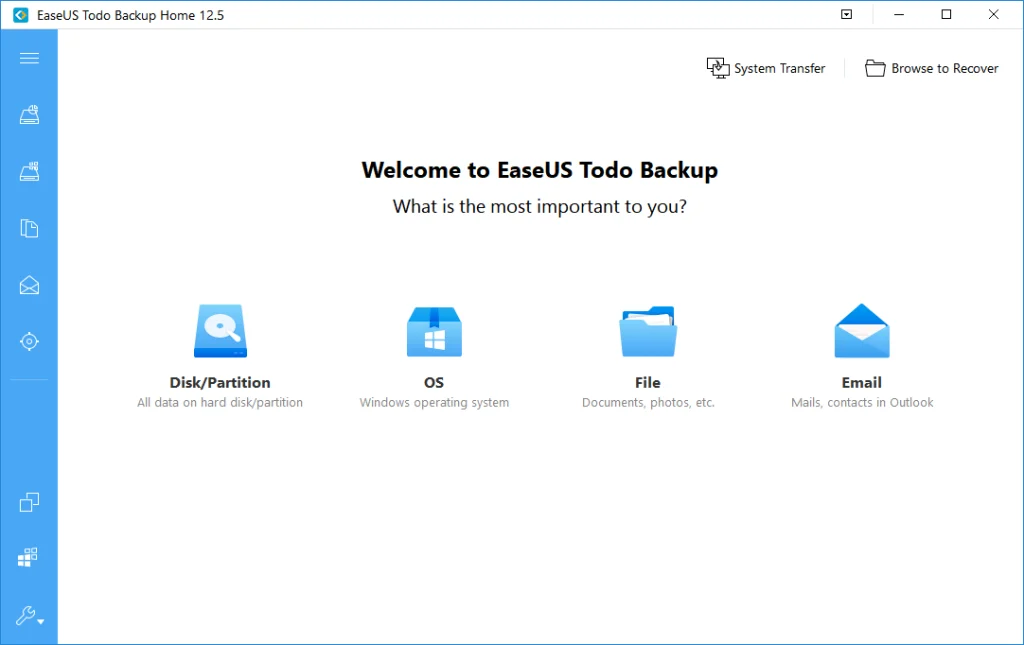
This is one of the best email backup software tools, offering automated and time-saving ways to back up your Outlook emails. This email backup solution lets you save your emails to local drives, external drives, network locations, NAS (Network-Attached Storage), and the EaseUS cloud.
It provides limited free cloud storage depending on region and plan, with higher storage limits available through paid plans to store your important emails and other data, like contacts and calendars. Some of its features are:
- Allows you to schedule daily, weekly, or monthly backups.
- Includes file backup options that can be completed in just a few clicks.
- Advanced backup options like incremental and differential backups.
- Easy recovery of backup data anytime you require.
2. Stellar Mail Backup
This email backup solution allows you to back up mail in your inbox and outbox of MS Outlook and Windows Mail (legacy). It does not just do emails; it also takes care of contacts, notes, tasks, journals, and your email account calendar entries. Key features include:
- User-friendly, simple, and interactive interface.
- Lets you take a backup in any location—local storage, external storage, network drive, or USB flash drive.
- You can take differential and incremental backups on a network or logical drives.
- Automatically execute backup—once every day, every week, or every month.
- Supports password-protected backup files.
- You can consolidate multiple backups and save them as a single backup file.
3. SysTools Email Backup Wizard
This is one of the top email backup tools, featuring a user-friendly interface and powerful features to maintain the safety and backup of all your emails. This software enables you to proficiently back up your emails, tasks, calendar, contacts, and much more.
After you’ve backed up your emails, this backup solution allows you to filter the unnecessary things out and only restore those that you need. Some of the features of this tool are:
- Offers an easy way to back up emails.
- Lets you save the backup data on the cloud or local storage.
- Compatible with Gmail, Outlook.com, and other IMAP-based accounts.
- Lets you restore only the emails you want and not the whole backup data.
4. KLS Mail Backup
With this email backup solution, you can back up your emails, contacts, bookmarks, calendars, and everything in your email account. This email backup software is quite dependable and lets you back up and store different types of email messages, including Hotmail, Gmail, Outlook, and many more.
Besides a friendly user interface, this software is free for personal use with optional advanced features. Some of the features of KLS Mail Backup are:
- Lets you archive emails by saving them in a zip folder.
- Supports many email accounts.
- Lets you store data on local drives, external drives, and the cloud.
5. MailStore Home
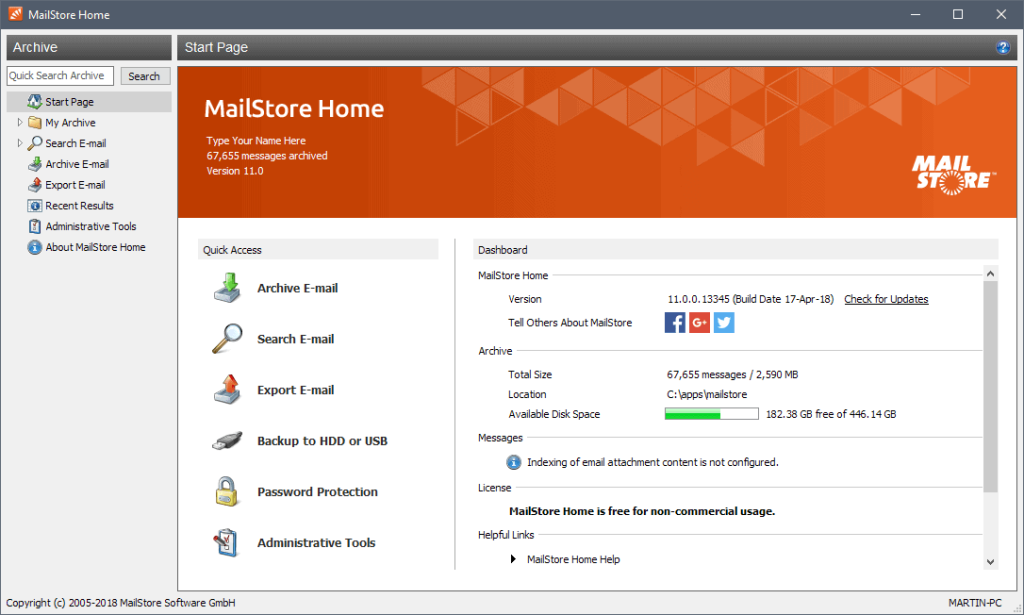
Irrespective of your email source, MailStore Home will allow you to create a backup. It supports all email clients like Yahoo Mail, Gmail, or any IMAP (Internet Messaging Access Protocol) or POP3 (Post Office Protocol) mailbox.
Moreover, it offers responsive and quick email search, which can help you recover an email from thousands or more emails swiftly. Some features of this software are:
- Compatible with both internal and external storage.
- Can manage numerous email accounts.
- Provides a one-click restore function from the archive.
- Simple email migration.
- Emails can be easily recovered.
6. UpSafe Gmail Backup
This free email backup solution lets you back up and restore your emails whenever you want. This software allows you to schedule automatic backups or execute the process manually.
UpSafe Gmail Backup is a commonly used option for basic Gmail cloud backups. It also supports basic Office 365 email backup functionality. Some of its features are:
- Keeps a complete record of all backups.
- Lets you create a cloud backup for your data.
- Has both manual and automatic backup scheduling options.
- Also supports Office 365 backups with basic functionality.
Read More: 9 Reasons Why Email Whitelisting is Important
7. Zook Email Backup
It is one of the best email backup software, which can archive emails of over 80 email hosts, counting AOL, Gmail, Outlook, Zoho, SiteGround, Hotmail, GoDaddy, Amazon Workmail, and many more.
Compatible with common antivirus software such as Norton and McAfee. Some of the features of this email backup solution are:
- Simple and user-friendly interface.
- Backups of cPanel, Webmail, and web-based email client emails can be taken.
- It offers cloud-to-cloud backup of emails.
- You can save emails to any location of your choice.
- All-inclusive backup of IMAP messages from numerous online email services.
8. Handy Backup
Handy Backup is an ideal tool for email backups, as it uses a 128-bit encryption feature to keep your data safe. This solution allows you to store backup data to the cloud, local drives, FTP (File Transfer Protocol) servers, flash drives, or external drives.
Besides keeping email backups, Handy Backup also lets you back up files, folders, and hard drive partitions. Some of the features of Handy Backup are:
- Easy and user-friendly interface.
- Ensures data safety using 128-bit encryption.
- It is compatible with all email types.
- Lets you use different backup storage, such as local storage, cloud storage, flash drives, etc.
9. Gmvault Gmail Backup
This email backup solution is free to download and use and mainly supports Gmail backups. The software is extremely customizable and user-friendly. Gmvault Gmail Backup uses encrypted local storage and Gmail API authentication to ensure the safety of your data. Some of its features are:
- Allows you to back up several Gmail accounts.
- It runs through a command-line interface.
- Lets you easily access and reposition emails.
Wrapping Up
Mishaps are unavoidable—erroneously deleting vital emails, computer crashes, email accounts being hacked, etc., are circumstances where having the best email backup software can save the day. So, give these tools a try and keep your data and emails safe.
FAQ
Q: How can I back up my emails to the cloud without the software?
A: An easy way to back up emails to the cloud without any software is using an Outlook account. Once configured, you can drag and drop the email messages from your main mailbox to a dedicated mailbox folder on Outlook.com and archive it to the cloud.
Q: What is the best way to back up emails?
A: The best way to back up emails is by email backup tools. That software ensures the safety of your emails since it lets you save them in various locations, including external drives, network locations, and the cloud.
Q: Are these email backup tools free?
A: Most of the software mentioned in this article is free to download and use.