Finding the best grammar checker tools is quite a challenging task. Someone with a heavy workload cannot manually check grammar errors in emails, extensive blog posts, social media posts, documentation, and so on.
Suppose you have just started your business or are a budding blogger. In that case, budget restrictions make it nearly impossible to hire a professional team for something as basic as finding and fixing grammatical errors and making your content error-free.
Best Grammar Checker Tools
1. Grammarly
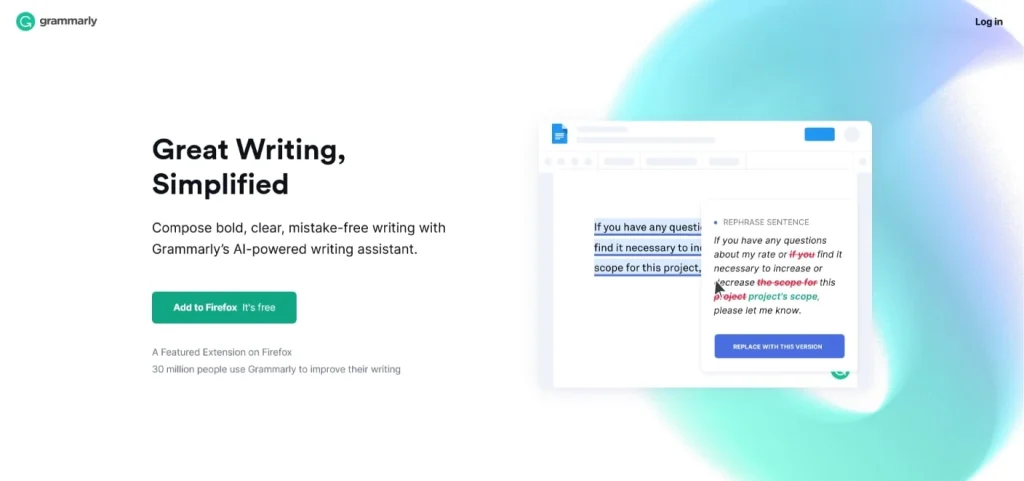
Grammarly is one of the most widely used grammar checker tools for checking grammar, spelling, punctuation, and more.
The free version supports grammar checks for reasonably large text inputs, though advanced suggestions are limited. You have to copy and paste or upload your content into the Grammarly editor, and it will check it for correctness, clarity, engagement, and delivery based on parameters set by you.
With a text editor-like user interface, you can effortlessly carry out text formatting like bold, italic, heading tags, and basic formatting options. You can also use it directly while writing on websites or in emails with a free Chrome or Firefox browser plug-in, and it will highlight the errors by marking them in red.
2. Hemingway Editor
Hemingway Editor is a popular readability and writing clarity tool with many useful features. This website and desktop application analyze your writing to verify readability with the Flesch-Kincaid reading model. It usually recommends using easy, conversational language to create comparatively easy-to-read content.
This software will scan your content for adverbs, passive sentences, and complex or longer sentences. It marks detected issues in various colors, allowing you to edit in real time. A major limitation of this tool is that you have to copy and paste your text into the editor; it doesn’t scan your content in emails or other documents.
3. Ginger
This tool provides both spell-checking and online proofreading features. The primary focus is spelling and grammar checks. The spell checker suggests corrections that best fit the sentence context and intended meaning. It will develop your writing skills and boost efficiency.
You can use this tool as a browser add-on, a Microsoft Word and Outlook integration, an iOS or Android app, a Windows app, or straight from their website. It is useful for identifying awkward phrasing, spelling issues, and common grammar mistakes.
4. QuillBot
QuillBot uses language-processing models to recognize errors in writing, like spelling mistakes, incorrect tense usage, repetitive words or phrases, incorrect punctuation, and problematic phrasing. The results from the analysis are shown in a self-explanatory format that makes it easier for users to rectify their writing swiftly.
Moreover, you can activate the AI assistant feature, which recommends better alternatives, so you won’t have difficulty understanding what needs fixing immediately.
QuillBot also offers a suggestion dictionary that helps proofread and rewrite large content quickly. All you need to do is change the highlighted words with better options on the list.
5. Scribens
Scribens is free grammar checker software that allows you to check hundreds of typos, grammar, spelling, and style errors effortlessly.
This software is powered by sophisticated algorithms and can catch errors that basic word processors may miss. You can choose either British English or American English. You can decide whether to manually fix unidentified proper nouns or let autocorrect do its work. It also lets you choose the document’s font size, so you don’t have to change it during editing.
In general, it’s an excellent tool for proofreading and editing content manually. But it needs more advanced editing features like a plagiarism checker or reporting.
6. ProWritingAid
This one is a browser extension with a user-friendly interface to assist you in improving your content. It grades content on readability to ensure it isn’t too hard to read.
There are also useful tools that assess sentence variety and passive voice. It benefits creative writers because of unique features that recognize typical dialogue tags and emotional tells. This promotes creativity and is especially useful for long-form writing.
Besides the grammar checker, this tool works like a tutor by providing educational features like articles, videos, and even quizzes to develop your writing skills. The free version includes essential features, but you have to upgrade to premium if you want more in-depth tools.
Read More: 7 Best English Grammar Apps For Android
7. Writer
With strong user ratings on platforms like SiteJabber and Trustpilot, Writer is one of the best grammar checker tools out there. The AI-based tool is an ideal copy editing option for editing everything from emails to Google Docs.
What sets this grammar checker apart is not only the smart AI algorithms for writing and editing but also the wide variety of integrations, such as HubSpot, WordPress, Twitter, Slack, and other platforms.
8. Zoho Writer
Zoho Writer is a capable online tool for checking spelling, grammar, and style errors. This free grammar checker option offers a wide range of useful features. Powered by machine learning, one can see smart recommendations like context-aware suggestions (such as effect/affect), subject-verb conformity, redundancy, and pointing out punctuation errors.
Their smart writing assistant monitors how you use adverbs, clichés, and passive voice in your content. The robust word processor, Zoho Writer, is ideal for making professional, polished documents and content for your business.
Which One Is The Best Grammar Checker Software?
There are many reliable grammar checker tools available that you can use. However, when it comes to accuracy and precision, there are only a few choices capable of delivering quality and dependable results.
- If you want an application to check grammar while creating content, Grammarly is the best option.
- If you want an excellent online tool that you’ll use occasionally, Zoho Writer may be a better choice.
Don’t forget to combine your grammar checker with other blogging applications for superior results.
FAQ
Q: Can I use these best grammar checker tools for free?
A: Most of these tools are free. Premium versions will offer you more advanced features.
Q: Do I need to download and install these tools to use them?
A: You can use most of these tools directly from their websites. No download is required for that.
Q: What features can I expect from the premium version?
A: With the premium version, you can have useful features like a plagiarism checker, paraphrase checker, add-on for Microsoft Word and Google Docs, and many more.