
The way that companies handle their digital information might be completely transformed by the benefits of cloud content management. Cloud-based CMS—enabling scalability, remote collaboration, and efficient administration—is becoming indispensable as digital infrastructure evolves.
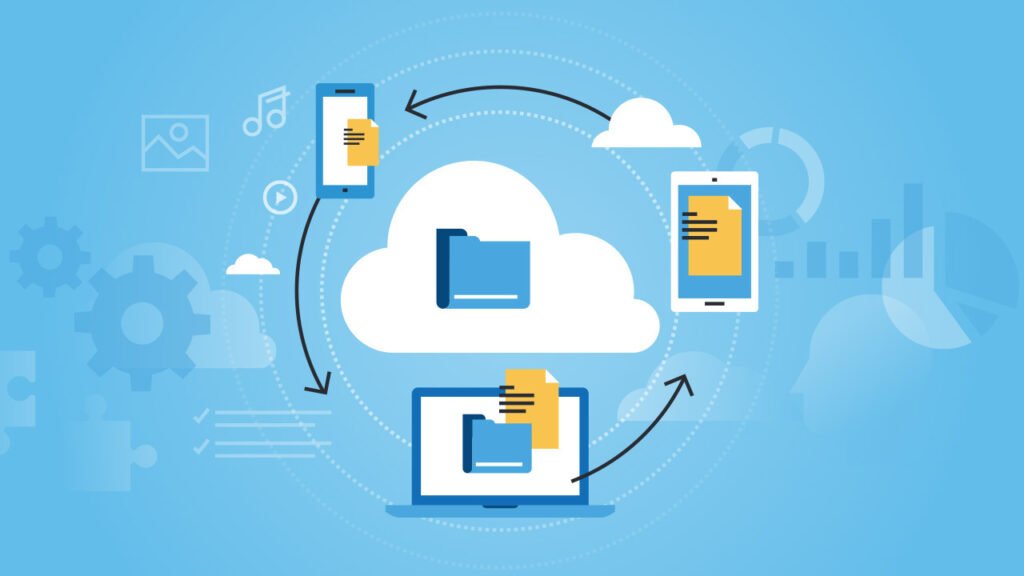
A cloud-based CMS runs on remote servers across multiple regions instead of requiring companies to maintain physical servers. This means users can manage and update content from anywhere with an internet connection, using any device.
Why Cloud Content Management Is Beneficial for Business
1. Scalability
Cloud content management offers seamless scalability—adjusting computing resources, storage, and bandwidth to support anything from a small blog to a large enterprise site.
Resources such as computing power, storage, and bandwidth can be adjusted easily to meet rising traffic or content demands. Because of this adaptability, companies can keep expanding without being constrained by their infrastructure.
For businesses facing rapid growth or seasonal spikes, scalability is vital to maintaining a fast, reliable user experience. For example, a cloud-based content management system enables companies to scale up without requiring new infrastructure expenditures during times of high demand, such as sales events, product launches, or promotional campaigns.
It enables websites to handle traffic surges smoothly, preserving performance and user experience. Additionally, resources may be scaled down as demand declines, enabling firms to save money by just purchasing what they need at the appropriate time.
2. Accessibility
With an internet connection, users can access a cloud CMS from any location at any time. For remote or distributed teams, this accessibility enables quick and seamless collaboration.
Mobile access to a centralized platform helps businesses remain flexible and make faster decisions. For instance, real-time collaboration across marketing teams, developers, and content producers may increase productivity and cut down on publication delays.
Furthermore, companies are not restricted to certain office locations thanks to remote access, which facilitates and improves international cooperation. Employees can access the same tools, material, and updates in real time, whether they are working from home, on-site, or on the go, which promotes a more dynamic and cooperative workflow.
Cloud CMS solutions allow organizations to quickly add external collaborators with role-based access and minimal onboarding. The system’s cloud-based architecture allows for the rapid addition of new users with role-specific access levels. This is especially useful when working with agencies, freelancers, or contractors who need temporary or specialized access.
3. Benefits Of Data Encryption, Access Controls, And Regular Backups
Cloud content management offers strong security features that are highly beneficial for new businesses. Startups often manage sensitive customer information, financial data, and strategic plans, making strong security essential.
Advanced access controls let administrators specify who can view, edit, or share particular documents, improving accountability and security. Furthermore, data encryption keeps sensitive information safe from cyberattacks or unapproved access, whether the data is at rest or in motion.
Automated backups greatly reduce the risk of permanent data loss from breaches, hardware failures, or accidental deletion. These features protect critical data and help businesses maintain compliance with data protection regulations, therefore facilitating seamless and safe teamwork among team members.
4. Advanced Automation and Workflow Integration
Modern cloud CMS platforms also function as workflow automation hubs, streamlining approvals and document routing. These systems simplify and automate day-to-day tasks such as approvals, document archiving, and routing.
A sales contract can, for example, be routed automatically to finance for review and approval with minimal manual intervention. Automated reminders help keep projects on track, and workflow triggers route documents along predefined paths. Real-time tracking increases accountability, reduces delays, and improves workflow visibility.
This automation removes common bottlenecks and minimizes human error, freeing teams to concentrate on higher-value work rather than tedious administrative activities. For startups and expanding companies, these skills not only raise output but also foster a nimbler, more responsive workplace in which time and resources are better utilized.
5. Cost Efficiency
A major benefit of cloud CMS is cost efficiency. Traditional on-premise CMS setups can incur higher infrastructure and maintenance costs. On the other hand, cloud CMS solutions greatly lower these costs by using a subscription or pay-as-you-go basis.
Small and medium-sized enterprises that want to maximize their resources without compromising on functionality or quality may find this approach very helpful. Furthermore, cloud CMS systems are a more cost-effective choice due to the decrease in maintenance expenses and downtime.
Since providers handle servers, upgrades, and patches, businesses can reduce in-house infrastructure overhead and IT costs. Automatic scaling based on usage also eliminates the need for costly hardware upgrades. Cloud-based CMS is a desirable option for businesses looking for flexibility and financial management because of its predictability and cost.
6. Automated Updates
Cloud CMS platforms automatically apply upgrades so systems run on the latest versions. Updating a traditional CMS manually and running the risk of compatibility problems can be time-consuming. Cloud CMS solutions, on the other hand, automatically deploy updates in the background, eliminating the need for manual maintenance and enabling companies to operate on the newest technology.
By implementing the most recent security patches, these upgrades not only improve platform performance but also maintain system security. Businesses no longer have to worry about possible security flaws brought on by out-of-date software or manually scheduling updates, which may cause productivity disruptions, thanks to automated updates.
Instead, teams can concentrate on content management and expansion without worrying about software maintenance thanks to platforms like leading cloud CMS providers, which manage updates automatically.
Read More: 9 Video Content Management Systems
7. Disaster Recovery and Service Continuity
One of the main cloud content management benefits is disaster recovery in the case of system failure or data loss. A cloud CMS can improve data protection through encryption, redundancy, and frequent backups, depending on provider capabilities.
Cloud-based CMS solutions often offer higher availability and resilience than single-site on-premises systems, which are vulnerable to hardware failure or local disasters. For instance, on-premises computers might be compromised by a cyberattack or natural catastrophe, whereas cloud-based CMS systems store data in many geographically separated data centers.
Businesses can quickly recover and restore content thanks to geo-redundant backups, which reduce downtime and foster business continuity. For companies that depend significantly on their online presence, the assurance that their data is safe, backed up, and instantly recoverable is priceless.
8. Collaboration and Integration
Collaboration and integration with other platforms and tools are supported by cloud-based CMSs, which facilitate teamwork and optimize workflows. Team collaboration is improved by features like version control, real-time editing, and information accessibility from any device, particularly for companies with remote or dispersed staff.
These capabilities remove confusion and lower the possibility of mistakes by allowing many users to work on the same piece of material at once, with all changes recorded and monitored in real time. Furthermore, cloud-based CMS solutions can interface with a variety of tools, such as analytics software, email marketing platforms, and CRM systems.
With the help of these integration capabilities, companies can build a more integrated digital environment where data moves across platforms with ease, enhancing efficiency and decision-making. For example, developers may link to frontend frameworks to provide better user experiences, and marketing teams can combine their cloud CMS with email marketing solutions to run campaigns more effectively.
9. Security
Security is a critical responsibility for any organization handling digital material, and a cloud-based CMS solution delivers sophisticated security capabilities to help preserve sensitive information. Depending on the kind of organization, these platforms often provide encryption, secure access methods, and enablers for compliance with industry standards like GDPR or HIPAA.
In order to better safeguard systems against data breaches, cyberattacks, and unauthorized access, cloud CMS providers usually use specialized security services and/or support teams that keep an eye out for such risks. Cloud CMS systems also benefit from frequent security upgrades and patches, which are often automatically deployed for enhanced protection.
This proactive approach helps businesses stay ahead of potential threats without requiring in-house security specialists. A cloud-based CMS provides a degree of protection and peace of mind that is hard to match with conventional on-premises solutions for companies managing sensitive data or working in regulated sectors.
Moreover, cloud-based CMS platforms provide role-based access control and detailed activity audit logging to minimize internal security risks. Businesses may restrict exposure to sensitive information by granting workers, contractors, or outside suppliers varying degrees of access via role-based permissions.
This reduces the possibility of internal security breaches and facilitates the tracking and auditing of user activities inside the CMS. In the case of a security problem, administrators may instantly identify the source of the breach and take fast action to limit it, delivering a better degree of control and responsibility than many conventional CMS systems can give.
A Brief Note on Cloud-Based CMS
Without the need for specialized hardware or local software installation, users may produce, manage, and edit digital information using a platform called a cloud-based content management system. It runs entirely on remote servers, offering accessibility and flexibility from anywhere with an internet connection.
The primary goal of cloud content management is to simplify content administration and delivery. By putting them into practice, companies can concentrate on producing and distributing content rather than having to deal with the burden of maintaining server infrastructure.
The complexity and expense often involved in managing on-premises hardware are also decreased by a cloud-based content management system. Businesses can reduce the need for extensive in-house IT resources.
All backend functions, such as server upkeep, upgrades, and security patches, are handled by the hosting company when using a cloud-based solution. Instead of battling technical problems and system outages, this enables businesses to concentrate their time and resources on strengthening user experiences and content strategy.
Furthermore, a lot of cloud-based CMS solutions now provide headless CMS features, which separate the frontend—where users see content—from the backend, which stores and manages information.
Businesses can now disseminate their information across a variety of platforms, including websites, mobile applications, and even smart gadgets, without having to handle each one independently, thanks to this division. Headless CMS provides scalable, flexible delivery via APIs, ideal for organizations with multiple digital touchpoints.
FAQ
Q: Cloud-based content management: what is it?
A: Cloud content management is the process of storing, managing, and delivering digital material via cloud-based systems in order to increase cost control, agility, and accessibility.
Q: What is a content management system’s primary purpose?
A: You may produce, organize, and post material online with the aid of a content management system. Additionally, it keeps material accessible and structured for efficient usage and repurposing. To satisfy the needs of any audience, a variety of content management systems are available, ranging from headless CMSs to cloud-based solutions.
Q: How does CMS operate?
A: A content management system consists of the Content Management Application (CMA), which provides an easy way to create and edit content, and the Content Delivery Application (CDA), which stores, assembles, and distributes it. Themes and templates help non-technical users organize and publish content easily.