Since YouTube has become a competitive arena, you have to put more effort into producing visually and content-wise great quality videos to succeed as a YouTuber. It will help you gain significant views and a good number of subscribers.
Having great content alone doesn’t guarantee success; if you cannot produce a visually compelling video with quality music, you have a slim chance. The main thing you need to consider is the equipment to start a YouTube channel. Remember that not even SEO or good content can save a poor-quality video.
Tools You Need To Start a Successful YouTube Channel
1. A Good Camera
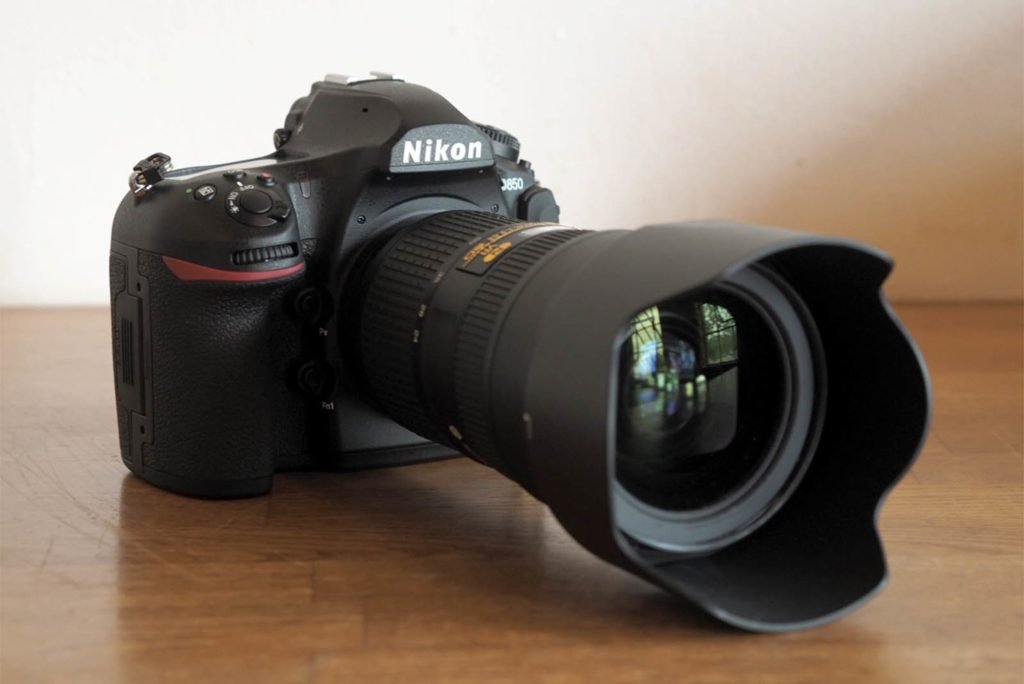
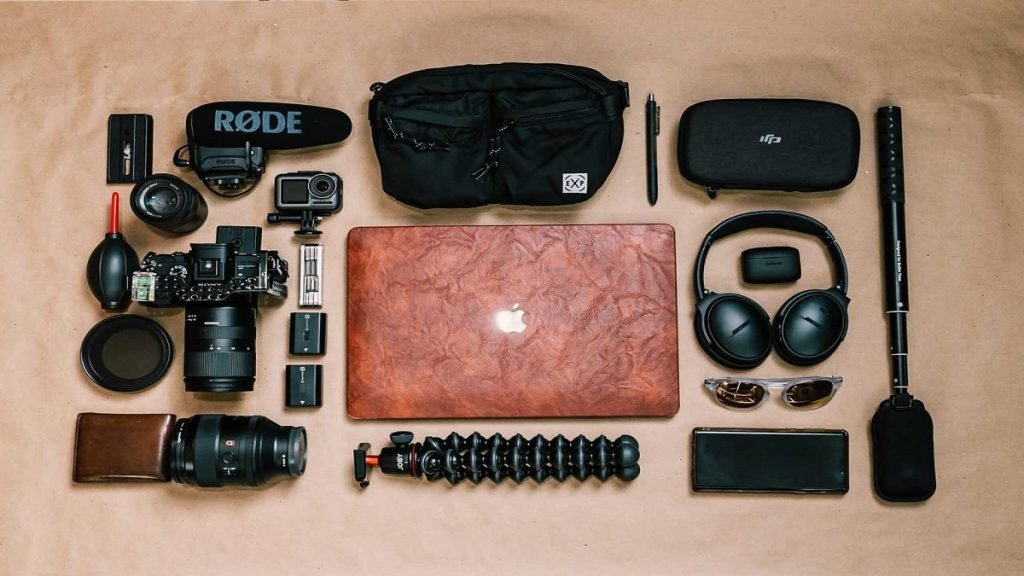
The first thing that comes to mind is definitely the camera. Many people think you must have a big, expensive camera to get started on YouTube. You can start with the one you already have: your phone or webcam.
Many modern phones capture stunning 4K or FHD videos. Not having an expensive camera is not an excuse. Some of the prominent YouTube channels started on their phone.
2. External Microphone
A decent external microphone is the next essential piece of equipment to start a YouTube channel. Remember that your audio quality must match your video. Even if you record high-quality 4K videos, you will need help keeping your viewers interested if the audio is not good.
Built-in laptop or camera microphones cannot deliver good audio quality, as they cannot record or eradicate ambient noises effectively. But before you go out and buy one, be sure to learn more about the different types of microphones to ensure that you get the best one for your requirements.
There are many types of external microphones, like USB microphones, condenser microphones, shotgun microphones, lapel microphones, etc. Each of them comes with different features and uses.
3. A Tripod or Gimbal Stabilizer
Your camera may be the best on the market, but if you don’t have a tripod or a gimbal to steady it, you have to face many issues. A shaky and blurry video is not something people would like to watch.
If you are using equipment like a GoPro strapped to your head or body, this will not be much of a factor. However, other than that, you will need something to stabilize your camera to eradicate the shakiness and blurriness caused by the movement of the cameraman.
So, whether using a camcorder, a mirrorless camera, or a DSLR camera, a tripod will help keep things blur and shake-free. But, of course, a tripod is designed to be immobile.
4. A Good Computer
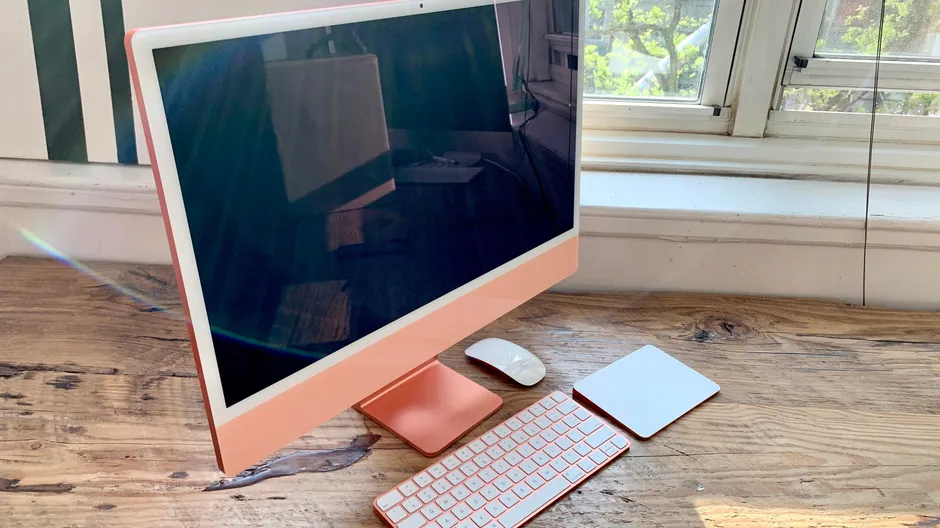
Another thing you need to set up a YouTube channel is a computer with a good configuration. Whether you go with a desktop or a laptop, Windows OS, Mac, or Linux is totally up to you, but it must have good resolution and excellent processing power.
To get a powerful computer, many YouTubers use gaming computers, as they ensure a good amount of RAM, a decent CPU (Central Processing Unit), a motherboard, and a good GPU (Graphics Processing Unit, aka graphics card), which can handle resource-consuming tasks like video and audio editing without any trouble. If you want to tweak and assemble your PC with budget and power in mind, that is fine, too.
5. Editing Software
To cut up footage and sound and place it in the correct order, you need video and audio editing software. Apple and Microsoft provide essential video editing software in their operating systems that you can use for free: Clipchamp and iMovie.
But to produce professional-looking videos, you need something more. You can find thousands of video and audio editing software online. Most of them are free in a trial period or offer some basic functions. To get some more features, you need to buy them. All of this software offers unique features and different prices. Be sure to study the feature list before getting one.
6. Lighting
Lighting equipment is essential if you are primarily recording indoors and in poorly lit areas. And even if you are shooting where there is ample surrounding light, lighting equipment can adjust the mood and even bring out the brightness of your setup.
There are many types of lighting equipment, such as softboxes, ring lights, on-camera lighting, and many more. Each of them comes with different uses and functionality. Choose accordingly.
Read More: 9 Ways To Promote YouTube Channel
7. Creative Assets
Though it is not a physical piece of YouTube equipment, all the best YouTube channels use a selection of creative assets to create the best, most professional videos on the platform. Using music in videos can be complicated, and just adding a random song or music to your video could get you in copyright trouble, which could lead to your channel being banned on the whole.
To avoid such scenarios, you can find many sites that offer royalty-free music. As mentioned above, the sound is as necessary to your video as your visuals, and using some sound effects is the best way to develop the quality of your audio. As with music, SFX should also be licensed, so head to the internet to check out a widespread catalogue of royalty-free SFX.
Stock video is an excellent way to save money and expand your visuals. Many of us don’t have the time or resources to capture every shot necessary for our YouTube video. On various sites, you can find royalty-free clips shot by the industry’s top cinematographers with free downloads and a license that covers every type of video.
8. A Drone
Though it is not required for all videos, having a drone will help to capture great videos if you are a travel vlogger or have a channel about expeditions. A drone will fly high and offer you a bird’s-eye view of the location. Many breathtaking views can be captured using a drone camera, and that footage will enhance the overall quality of your video.
But be aware of the drone rules in different countries and act accordingly. In almost all countries flying a drone over army areas or protected establishments is banned. Adhere to the law, or you will get in trouble.
Can You Use Your Phone For YouTube Videos?
As phone technology improves every day, this question gets asked more and more frequently. The answer is that you can use your phone for YouTube videos if you have a phone with a good camera and storage. Be sure to check the microphone and quality of the video. Nowadays, many phones can shoot at 4K, but the built-in microphone may not be up to the mark.
If you do plan on shooting with your phone, it is recommended to use an external microphone. Just remember, some phones may not support that input. You can always go and shoot with your phone if you like, but it is recommended to go for the essential equipment to start a YouTube channel.